
You can’t launch a website and leave it to fend for itself. It needs monthly maintenance to stay secure, speedy, and profitable.
Without maintenance, your site risks crashing, slowing down, and losing customers. Worse, you can experience security breaches and malware removal emergencies.
Now, you could maintain it yourself. But that’s time and effort you’d divert from running and growing your business.
You’re better off hiring a WordPress maintenance expert for complete peace of mind at minimal expense. But we’re getting ahead of ourselves…
In this guide, we break down monthly WordPress maintenance tasks, touch on the average costs of maintenance, and then discuss how to find a cost-effective partner.
|
TL;DR – Key Takeaways Monthly WordPress website maintenance covers crucial tasks, like updating website content, checking website performance, and fixing broken links. On average, monthly maintenance costs:
Outsourcing to StateWP is an excellent value option at between $99 and $630 a month, with all your weekly, monthly, and yearly maintenance tasks taken care of. 🧘 |
What Is Monthly WordPress Maintenance?
Monthly WordPress maintenance covers a regular set of tasks that keep your site secure, error-free, and performing at its best. They ensure it’s easy to use, full of helpful content, and ranking well in search results.
Typical monthly tasks include editing and updating content so that it’s relevant to your audience, fixing links, optimizing your site for mobile, and refreshing your search engine optimization (SEO) strategy. WordPress core updates, plugin updates, and theme updates are other routine monthly maintenance activities.
These tasks aren’t as urgent as weekly maintenance jobs, but they’re no less important.
Why Is WordPress Monthly Maintenance Vital?
Without regular WordPress maintenance, you’re at risk of:
- Broken links and 404 errors
- Outdated and irrelevant content
- Hacking, malware, and attacks on WordPress security
- Frustrating customers with faulty checkouts, broken forms, and slow page speeds
- Falling down search rankings and struggling to find new business
By neglecting your site, you neglect your customers. Ongoing website maintenance helps you avoid these mistakes.
“Regardless of who’s doing it, every single WordPress website requires maintenance!”
– Garrett Goldman, StateWP CEO, on The Success Partner Podcasts
10 WordPress Monthly Maintenance Tasks
Complete these maintenance tasks at least once a month to keep your WordPress site performing at its very best:
- Audit broken links
- Check speed and uptime
- Edit, publish, and plan future content
- Fix 404 errors
- Test responsiveness and compatibility
- Audit plugins and themes
- Test your checkout and marketing functions
- Verify your backups
- Check analytics and statistics
- Check search optimization health
Pro tip: Combine these 10 monthly tasks with our 8 maintenance tips for even stronger performance and security!
1. Audit broken links
Broken links lead visitors to dead ends. They’re pretty frustrating from the site user’s perspective, and hardly a good look for your brand.
So, every month, run a broken link checker to scan your site to remove and patch up bad links hiding away. We recommend the aptly-named Broken Link Checker for WordPress.
2. Check speed and uptime
Visitors have short attention spans. If your pages don’t load in a matter of seconds, you’ve lost them. Similarly, a site that crashes regularly really doesn’t foster confidence.
Run tools like GTMetrix once a month to check your site’s vitals and get feedback on how to boost its load times and performance (i.e., caching images). GTMetrix gives your performance a handy letter grade (A being the best):

With a reliable hosting server, it’s easy to monitor your uptime. In fact, when you partner with StateWP or use one of our recommended hosts, we guarantee you uptime of 99.9%+.
3. Edit, publish, and plan future content
Publishing regular content updates shows visitors, Google, and LLMs you’re active and invested in what you do.
What’s more, outdated content looks worse the longer you leave it. Instead, regular, insightful content, whether it’s blog posts, podcast episodes, or downloadable guides, builds your credibility.
Take time to plan and publish monthly content, and refresh any existing content that isn’t evergreen.
4. Fix 404 errors
No one likes seeing this:
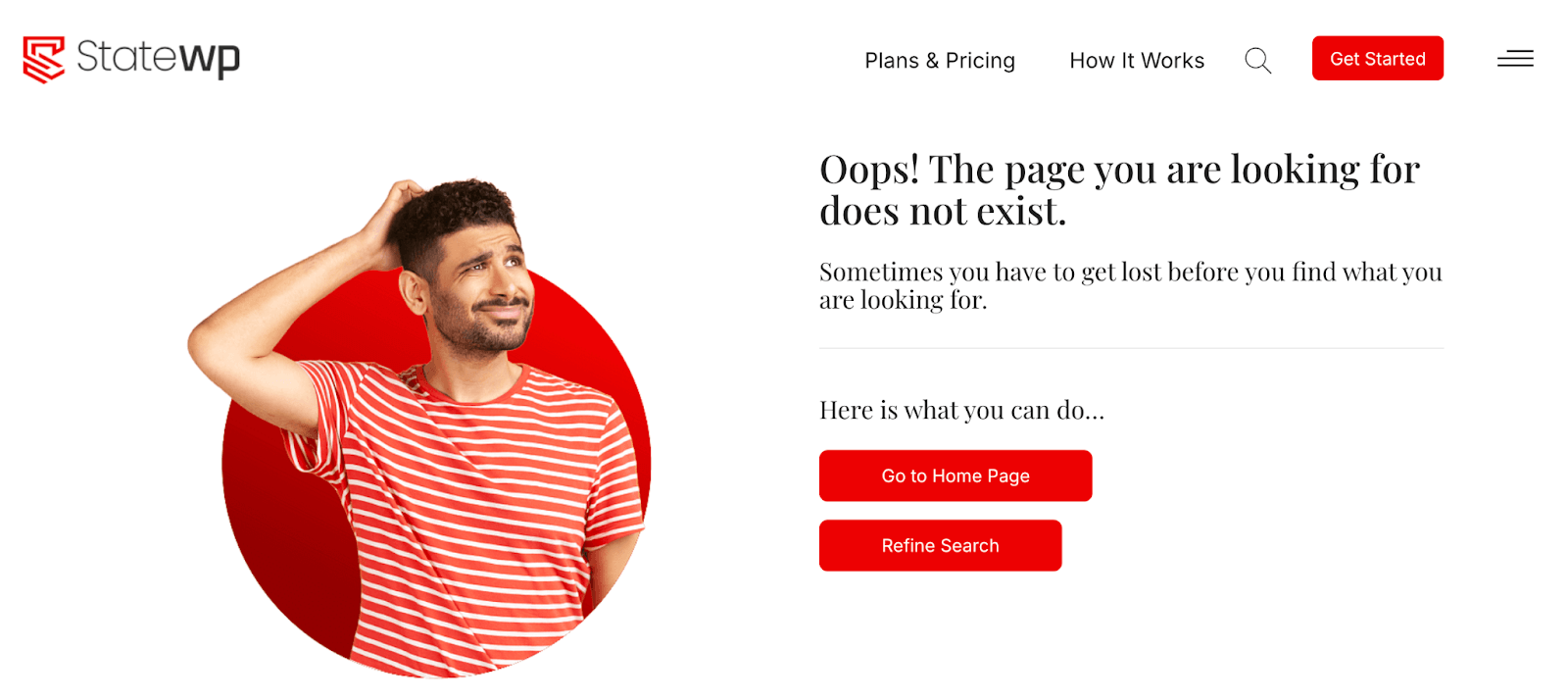
404s, like broken links, send visitors to dead ends, often to pages that no longer exist or have been updated. Take monthly action against them with a WordPress plugin like Redirection and point them to live pages.
5. Test responsiveness and compatibility
Making sure your site is responsive, i.e., it’s quick and easy to use on different handhelds and desktops, saves your visitors from awkwardly scrolling and pinching around.
There are a few handy tools that help you visualize and test your site as it appears on different devices, such as SmartBear’s TestComplete and Google’s Chrome Device Mode. Check how everything looks and works at least once a month.
6. Audit plugins and themes
According to Sucuri’s 2021 Hacked Websites Report, nearly 93% of all WordPress vulnerabilities come from plugins.
This means the more outdated and unused plugins you have cluttering your dashboard, the greater the chance you’ll develop security vulnerabilities hackers can exploit.
The best ways to minimize this risk are to:
- Update your plugins and themes as soon as new versions arise
- Once a month, run through and remove any plugins you no longer need or use
- Use a security plugin, a recent PHP Version, SSL certificates, and two-factor authentication (2FA)
7. Test your checkout and marketing functions
If you run an eCommerce business, there are plenty of moving parts you need to keep track of. Your website’s online shopping features can develop errors, meaning it’s worth checking eCommerce custom functionality at least monthly.
You can do this by “buying” free products to check processing, chatting with service bots, triggering abandoned cart alerts, and signing up for newsletters to see if they get delivered.
Even better, if you have a staging site, you can test all these features without touching your live site. It’s a great reason to sign up for an advanced maintenance plan like StateWP’s Elite package!
8. Verify your backups
You should be backing up your site daily. Once a month, however, you should check that your cloud backups are present and correct. This is especially important if you automate your backups (you should also know how to perform a backup restoration).
We recommend running backups through your host, storing copies both locally and in the cloud, and using plugins like UpdraftPlus to keep your backups easy to access.
9. Check analytics and statistics
Every month, check your traffic vitals through platforms like Google Analytics 4 to see where your customers are coming from.
Monitor analytics reports and user engagement metrics to see which landing pages have the most traction, how visitors use the site, and where most of your paying traffic comes from. You can use the data to refine your landing page content and shape future blog posts.
10. Check search optimization health
Keeping tabs on your site’s SEO performance ensures it appears highly in relevant search results. This can get a little complex, but thankfully, tools like Google Search Console and background plugins like AIOSEO and Yoast, break down how you’re performing and how to improve poor performance and low scores.
FYI: Weekly and yearly maintenance tasks
There are also maintenance tasks you should do more and less frequently. Weekly tasks typically involve security and error checks that, if ignored, can put users at risk. Yearly tasks, meanwhile, are still important, but don’t always warrant more frequent attention.
Here’s a quick breakdown:
| Weekly Tasks | Yearly Tasks |
| Confirm that all your forms work correctly | Refresh your site’s visuals |
| Update your website and its core files, plugins, and themes | Update passwords across the site (ideally twice yearly) |
| Back up data off-site (more frequently if you make changes) | Review user access |
| Moderate comments | Check and update meta titles and descriptions |
| Run full security scans across your site | Update all page footers |
| Check errors via analytics | Check your host and domain renewal |
| Check for Google indexing errors | Create new landing pages (and audit site content) |
How Much Is Monthly WordPress Maintenance?
The cost of WordPress maintenance depends on how large and how complex your site is, the features you use, and who’s doing it.
It’s easy to think that the DIY route is free. But that’s time every month you take away from actually running your business and building leads. The opportunity cost is hard to estimate, but the sky is the limit.
Outsourcing to freelancers can be cost-effective, but it’s reliant on the experience and timetable of whoever you work with. It’s hardly the most flexible or reliable option.
Then, there’s working with agencies. While the upfront cost of working with a full team is typically higher than going with a freelancer, it’s easily your best value option.
Put it this way. With full-service website management, your hands are completely off the wheel. That means there’s always a team of WordPress experts at your beck and call, monitoring performance, updating security measures, and refreshing content.
Here’s a breakdown of the average WordPress monthly maintenance fee based on these routes, excluding hosting and domain fees. These costs are based on small business maintenance expectations.
| Maintenance Route | WordPress Maintenance Cost Per Month |
| DIY | Technically free, but costs escalate without limit as you divert efforts from growing your business |
| Outsourcing to freelancers | $50 – $500+ |
| Partnering with StateWP | $99 – $630 (paid annually) |
| Partnering with other maintenance agencies | $99 – $999+ |

How To Get Monthly WordPress Maintenance Now
You’ve got two routes ahead when it comes to WordPress monthly maintenance. Do you take it all on yourself, or do you ask for help? Let’s take a look.
Try DIY With a WordPress Maintenance Checklist
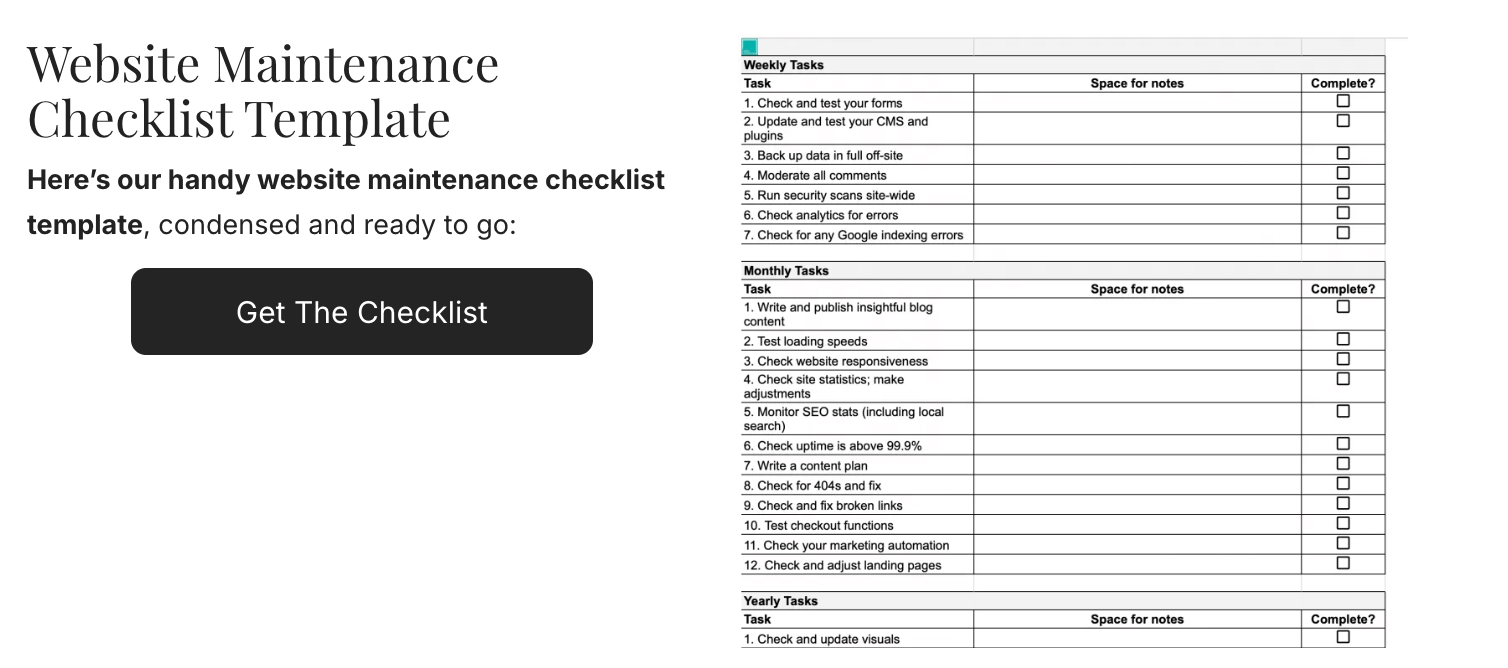
If you have time available and want to give DIY a try (or can delegate to someone else on your team), we have a handy maintenance checklist to help you get started.
Simply click here to download a copy of our WordPress maintenance checklist and start tightening up your site.
Unlock Peace of Mind With a WordPress Monthly Maintenance Plan 🧘
But can you really afford to spend time on monthly maintenance when you should be focusing on your clients and prospects? Probably not.
When you partner with StateWP, all the weekly, monthly, and yearly tasks listed above are taken completely off your plate.
Our experts monitor, update, and adjust your site behind the scenes, leaving you with a high-performing online presence that’s easy to spot in relevant searches.
We keep you up-to-date with the latest security features, check and boost your loading speeds, and have your back 24/7 if you ever need help in a pinch.
Out of our three maintenance plans, we recommend our Premium and Elite packages for the best value for your money:
Premium gives you 24/7 security monitoring, WordPress updates, backups, and error fixes, alongside maintenance coverage for your most urgent and important tasks. It’s the top choice for SMEs looking for performance boosts, on-demand support, content editing, and analytics tracking.
Then, there’s Elite. Our top WordPress monthly maintenance package is perfect for larger companies with advanced features, such as eCommerce setups and learning management systems.
You have access to specialized development for those features, a custom staging site, content Edits (5 hours/mo), a dedicated project manager, and SEO support every single month.
Regardless of the package you pick, we always respect your time. We onboard you in a matter of days and start boosting and maintaining your site as soon as you’re live with us.
You’ll also benefit from our 100% hack-free record, and, with 99.9%+ uptime guaranteed (on our WordPress hosting plan or through a recommended vendor), you’re always giving your customers the best possible experience.
Take it from our long-standing clients at CAL Insurance. The carrier was vulnerable to a variety of security issues, and keen to break free with a new maintenance partner.
In just weeks, we sorted the security gaps and boosted the company’s website performance significantly. We’re still CAL’s eyes and ears when it comes to spotting errors and potential security flaws, handling all its monthly maintenance tasks.
“Absolutely love working with Garrett & his team at StateWP. They are fast to respond and proactive! Plus, super nice & caring. Maybe most importantly, StateWP keeps our WordPress site secure and performing at its highest level. Bottom line, we can rely on StateWP!”
– Joe Delucchi, CEO, CAL Insurance
Then, there’s the Ranchod Law Group (RLG). The firm arrived at StateWP with performance issues, needing help to land new clients.
Soon after partnering up, we boosted RLG’s GTMetrix performance grade from E to A, and we’ve maintained that peak ever since:

Like CAL Insurance, we’re now RLG’s on-hand monthly maintenance provider, keeping its website fighting fit and helping prospects flow into its business.
Want to follow their lead?
Start by checking out your site’s vitals with our free online audit, which gives you a detailed snapshot of its overall performance, showing you where monthly maintenance could benefit you the most.
From there, book a chat with Garrett, our CEO. He’ll take you through what StateWP can do to care for your site around the clock and help you choose the best WordPress monthly maintenance plan for your needs!
Monthly WordPress Maintenance: FAQs
Let’s close with a few quick Q&As on monthly WordPress maintenance.
Do WordPress sites need monthly maintenance?
Yes, all WordPress sites need regular maintenance, including content publishing and editing, analytics checks, and broken link/404 error fixes. Most monthly checks revolve around keeping your performance up to scratch, which is by far easiest to manage when you have an expert team like StateWP on hand to help.
When should you consider hiring a WordPress maintenance agency?
What should you look for in a monthly WordPress maintenance plan ?
A good monthly WordPress maintenance plan should include:
- Performance and uptime monitoring
- Speed optimization
- Content edits
- Mobile site optimization
- Analytics support
- Backups,
- SEO auditing
- Rolling development hours
- eCommerce/WooCommerce support
However, not all website support plans are created equal, so don’t be afraid to compare maintenance packages to suit your site’s ongoing needs.
How long do WordPress sites last?
Thankfully, a monthly WordPress maintenance plan helps keep your content evergreen and your site functioning at its best. With a maintenance agency, you can extend your site’s lifespan dramatically and reduce website design costs.